
TL;DR
Programmatic SEO for SaaS works best when you build deep use case pages around real buyer scenarios, not thin keyword templates. Start with one tight page family, add unique proof, and measure rankings, conversions, and AI citation visibility by cluster.
Most SaaS teams keep publishing blog posts long after the blog has stopped carrying growth on its own. I’ve seen the same pattern over and over: solid articles, decent traffic, weak conversion, and almost no durable presence in AI answers.
The fix usually isn’t more blog volume. It’s building pages that map directly to buyer problems, product use cases, and query variations at scale.
Why blogs alone stop pulling their weight
A lot of content teams still treat the blog as the center of their organic strategy. That made sense when publishing frequency alone could open up reach. In 2026, that approach is too thin.
A blog post can explain an idea. A use case library can capture demand.
That matters because search behavior has changed. Buyers still search in Google, but they also ask AI tools for product comparisons, workflow recommendations, integrations, and scenario-based answers. Generic thought leadership rarely becomes the source those systems cite.
Here’s the short version: programmatic SEO for SaaS works when you turn repeatable buyer intent into high-value pages, not when you mass-produce thin templates.
That line is worth sitting with because it’s where most teams go wrong. They hear “programmatic” and think “thousands of pages.” The better mental model is “structured coverage of a large intent surface.”
According to Averi’s programmatic SEO guide for B2B SaaS startups, the strategic advantage comes from targeting long-tail keyword sets at a scale manual publishing can’t match. The same guide contrasts a universe of 1.3 million keywords with a manual approach that may only cover a few hundred. That doesn’t mean you should chase volume for its own sake. It means the opportunity is much bigger than your editorial calendar.
I’ve also found that blogs tend to flatten intent. Someone searching “how to improve onboarding” is at a very different stage from someone searching “customer onboarding software for fintech teams” or “HubSpot onboarding workflow for agencies.” A blog can support both, but a purpose-built page converts better because it matches the query more tightly.
This is where the business case gets clearer:
- Blogs are broad and useful for education.
- Use case pages are narrower and better for capture.
- AI systems tend to prefer pages with direct, extractable answers.
- Sales teams can actually use use case pages in deals.
If your content is slow, fragmented, and hard to update, a programmatic library gives you leverage. You stop writing one-off posts and start building an asset class.
The page type that wins now: deep vertical use case pages
When I say “use case library,” I don’t mean a gallery of lightweight landing pages with swapped keywords. I mean a structured set of pages that each answer one clear buyer scenario.
Think in vertical slices.
Instead of publishing another article about “best CRM workflows,” you build pages like:
- CRM workflow automation for recruiting teams
- CRM workflow automation for B2B agencies
- CRM workflow automation for franchise businesses
- CRM workflow automation with Slack
- CRM workflow automation for lead routing
Each page targets a distinct intent pattern. Each page can pull from a shared content structure. And each page gives you more surface area for both search rankings and AI citations.
That pattern is consistent with what Seomatic’s programmatic SEO roadmap for SaaS highlights: leading SaaS companies use programmatic pages for integrations, comparisons, and free tool directories. The point isn’t that you should copy Zapier or HubSpot. The point is that mature SaaS SEO programs create repeatable page types tied to real demand.
Here’s my point of view.
Don’t build a programmatic library around keywords first. Build it around repeatable buying situations, then map keywords into that structure.
That sounds subtle, but it changes everything. When you start with keywords, you usually create pages that feel synthetic. When you start with buyer scenarios, the pages tend to be more useful, easier to brief, and far more likely to earn citations.
The 4-part use case page model
This is the simple model I keep coming back to:
- Scenario: who the page is for and what they’re trying to do
- Fit: why your product is relevant to that situation
- Evidence: examples, outcomes, workflows, objections, constraints
- Action: what the visitor should do next
It’s not fancy. That’s the point. It’s memorable, reusable, and easy for writers, SEOs, and product marketers to apply without turning the page into a mess.
The pages that perform best usually feel halfway between a landing page and a practical guide. They are commercial, but they still teach. That balance matters because AI systems often favor pages that explain clearly rather than pages that only pitch.
What a real library looks like before you publish page one
The biggest mistake I see is starting production before the content model is stable. Teams get excited, generate 80 URLs, and then realize half of them overlap, cannibalize each other, or say almost the same thing.
You need a library design step before a writing step.
I usually start with three inputs:
- product use cases
- query patterns
- reusable proof points
From there, I map page families.
A strong programmatic SEO for SaaS library often includes a mix like this:
Buyer-scenario pages
These target role + problem combinations.
Examples:
- knowledge base software for support teams
- reporting automation for RevOps teams
- onboarding workflows for customer success teams
Industry pages
These target vertical context.
Examples:
- document workflow software for legal teams
- analytics dashboards for healthcare SaaS
- onboarding automation for fintech companies
Integration pages
These capture product adjacency and workflow demand.
Examples:
- Salesforce and Slack workflow automation
- HubSpot data sync for onboarding
- Stripe reporting dashboard integration
Comparison and alternative pages
These support decision-stage intent.
Examples:
- product A vs product B for agencies
- alternatives to a legacy platform for startups
Job-to-be-done pages
These map to tasks, not categories.
Examples:
- how to automate client reporting
- how to route enterprise leads
- how to track onboarding milestones
As documented in Medium’s B2B SaaS programmatic SEO article, programmatic SEO is distinct from simply spinning up dynamic pages. The distinction matters. Dynamic page generation is a publishing method. Programmatic SEO is a search strategy built on repeatable intent, structured data, and scalable relevance.
That’s also where quality control comes in. Averi’s guide makes a useful point: a viable dataset should support at least 50 pages that provide genuine value to the searcher. I like that threshold because it forces discipline. If you can’t imagine 50 valuable pages from the dataset, the pattern may be too thin to scale.
A quick smell test before you scale
Before you approve a page family, ask:
- Does the query signal a real commercial or high-intent informational need?
- Can we add unique proof or guidance to each page?
- Will the pages differ in substance, not just wording?
- Can sales, success, or product teams actually use these URLs?
- Can this pattern support 50 or more valuable pages over time?
If the answer is no to three of those, don’t scale it yet.
The workflow that keeps programmatic pages from becoming spam
This is where most teams either build a durable asset or create a cleanup problem for six months.
Programmatic SEO flips the usual publishing model. Instead of manually writing every page from scratch, you build a repeatable system around structured inputs. The DEV Community write-up on programmatic SEO for B2B SaaS explains that shift well: page creation is driven by data, not by treating every URL as a blank page.
That sounds efficient, but efficiency without editorial judgment is how you end up with thin pages.
Here’s the workflow I’d use.
Step 1: Build a source table that reflects reality
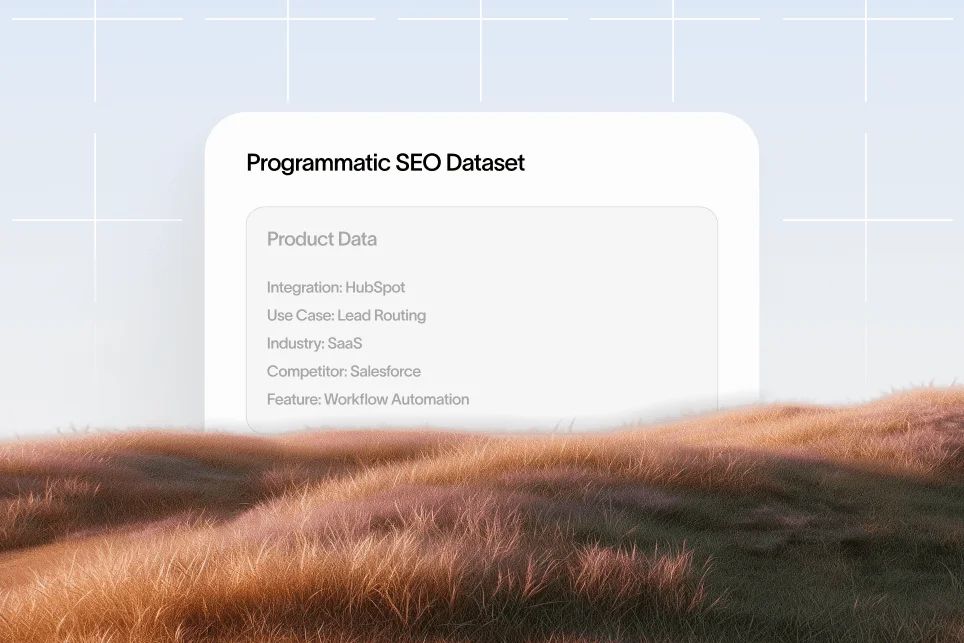
Your source data should include fields that actually change the page meaning. Don’t just store keyword variations.
Useful fields might include:
- persona
- industry
- workflow goal
- integration context
- top pains
- feature relevance
- implementation constraints
- proof points
- CTA variation
If the only thing changing is the title tag and a noun in the intro, you don’t have a content system. You have a duplication engine.
Step 2: Create modular sections, not one giant template
The page should have stable structure, but not identical wording throughout.
For example, I like a modular build where these sections can adapt based on the row data:
- summary block
- who this is for
- common pain points
- why the product fits
- workflow example
- integration considerations
- objections and limitations
- recommended next step
This is also where internal linking matters. A page about updating stale workflow pages should naturally point readers to our refresh strategy, because programmatic libraries decay faster than blogs when nobody maintains them. And if you’re scaling coverage across many templates, this works better when tied to a content system that protects SEO quality.
Step 3: Add human proof where templates can’t
This is the make-or-break step.
Every page family needs at least one layer of detail that isn’t generic. That can be:
- a real workflow example
- a product limitation callout
- a role-specific objection
- a setup consideration
- a screenshot-worthy process explanation
- customer language pulled from sales calls
Without that, the page may get indexed, but it won’t become trusted.
Step 4: Design for the new funnel, not just the click
The path now is simple: impression -> AI answer inclusion -> citation -> click -> conversion.
That means the page needs to work even when the reader lands after seeing a partial answer elsewhere. Lead with clarity. Use concise definitions. Include structured subheads. Answer the obvious question fast.
I also recommend placing a clean summary near the top, followed by a short list of who the page is for and what problem it solves. That structure makes the content easier for humans to scan and easier for AI systems to extract.
Step 5: Measure page families, not isolated URLs
This is another common miss. Teams judge programmatic pages one by one and kill them too early.
Instead, track by family:
- impressions by page type
- ranking spread across long-tail queries
- clicks from comparison, integration, or scenario pages
- assisted conversions
- sales usage of URLs
- AI citation presence, where measurable
If you care about AI search visibility, you also need to know whether your pages are being surfaced or cited in AI-generated answers. That’s where a platform like Skayle fits naturally: it helps teams rank higher in search and appear in AI-generated answers, while measuring citation coverage instead of treating AI visibility as a black box. That matters because reporting disconnected from action is one of the reasons content teams stay stuck.
One mini case study: from broad content to decision-ready pages
Let me give you a realistic example shape that I’ve seen work.
A SaaS team has a blog post on “best client reporting practices.” It ranks for some broad terms, gets top-of-funnel traffic, and drives very little pipeline. The page is useful, but it’s not decision-ready.
Baseline:
- one broad educational post
- mixed intent traffic
- weak product relevance
- no clear variant pages for industries or roles
- no easy way for AI systems to quote specific workflow guidance
Intervention over one quarter:
- Keep the original post as the educational hub.
- Spin out use case pages for agencies, consultants, franchise groups, and in-house marketing teams.
- Add integration-focused pages for reporting workflows tied to core tools.
- Add proof modules: common KPI sets, client delivery cadence, stakeholder objections, and setup constraints.
- Link the whole cluster together with clear page hierarchy.
Expected outcome:
- broader long-tail coverage
- better query-to-page match
- stronger conversion from decision-stage searches
- more extractable answers for AI systems
- easier sales enablement because reps can send the exact page for a prospect scenario
Notice what I’m not claiming. I’m not promising a magical traffic spike in 30 days. That would be fake precision. What I am saying is that this model tends to outperform “one blog post per topic” because the information architecture is closer to how buyers actually evaluate software.
The Rank Masters’ piece on programmatic SEO at quality scale reinforces this idea: the value comes from turning product or market data into search-optimized pages that capture long-tail intent. But “quality scale” is doing a lot of work in that sentence. Scale alone is cheap. Useful scale is hard.
The contrarian take most teams need
Don’t start with 500 pages. Start with 25 pages in one page family and make them unusually good.
That’s the opposite of how programmatic SEO is often sold. But it’s the safer move.
If the first 25 pages can’t rank, get cited, or help sales, generating 475 more just creates more cleanup. In practice, I’d rather see a SaaS team ship one tight use case cluster with strong internal links, conversion design, and proof depth than a giant library of pages nobody trusts.
Design choices that affect rankings, citations, and conversion
This part gets skipped because people assume programmatic SEO is mostly a content or data problem. It isn’t. Design shapes whether the page gets used.
Thin design kills good content.
If every page looks auto-generated, users feel it immediately. So do reviewers, stakeholders, and probably search systems over time.
A few design rules matter more than most teams realize:
Put the answer first
Your first screen should explain:
- who the page is for
- what problem it solves
- why this solution fits
- what action to take next
Don’t make readers hunt.
Make modular blocks visually distinct
When every section looks identical, scanning gets harder. Use clear separation between summary, examples, objections, integrations, and FAQs.
That improves comprehension and gives AI systems cleaner extraction boundaries.
Show constraints, not just benefits
A page that only lists benefits reads like marketing copy. A page that says “this works best when your team already uses a CRM and has a defined handoff process” reads like experience.
That kind of specificity builds trust.
Keep conversion paths narrow
Programmatic pages should not dump readers into a generic signup flow. Match the CTA to the page intent.
Examples:
- request a workflow demo
- view the integration setup
- see the use case walkthrough
- measure your AI visibility
If the page is aimed at a problem-aware buyer, the CTA should move them one step forward, not force a final commitment.
Support summary extraction
Use crisp subheads, direct answers, and short paragraphs. If a model scans the page, it should be easy to pull a clean explanation.
That same principle is why teams working on AI visibility should pay attention to authority signals and citation tracking. We’ve covered that more directly in our guide to AI engine authority, especially for teams trying to understand why some pages get cited and others stay invisible.
The mistakes that quietly ruin a use case library
I’ve made some of these myself, so this isn’t theory.
The bad version of programmatic SEO for SaaS usually fails in predictable ways.
Mistake 1: treating keyword variations like page strategy
Changing “for startups” to “for agencies” isn’t enough. The page has to change in substance.
Different pain points, workflows, objections, and proof. Otherwise you’re just creating near-duplicates.
Mistake 2: using one CTA across every page
An integration page, a comparison page, and an industry page do not deserve the same ask. Intent mismatch lowers conversion and makes the page feel generic.
Mistake 3: publishing orphaned pages
A library without internal linking is just a pile of URLs.
You need hubs, sibling links, clear navigation, and logic that reinforces topical authority. This is especially important when you want AI systems to understand the relationship between pages.
Mistake 4: ignoring refresh cycles
Programmatic libraries age fast. Integrations change. feature positioning shifts. competitors move. If you’re not reviewing page families on a schedule, rankings decay quietly.
That’s why maintenance has to be designed into the system from day one.
Mistake 5: mistaking indexing for success
Getting 300 pages indexed can feel like progress. It isn’t, unless those pages attract the right queries and support revenue.
Rankings, citations, assisted conversions, and sales usage tell a much better story than page count.
Mistake 6: hiding the useful parts below the fold
A lot of SaaS pages bury the answer under oversized headers, generic brand copy, and decorative UI. Don’t do that.
If the query is specific, answer it early.
The questions teams ask before they commit
Is programmatic SEO for SaaS still worth doing in 2026?
Yes, but only if the pages are built around real intent and real differences between search scenarios. Thin templates are easier to publish than ever, which means useful, structured pages stand out more.
How many pages do you need before this works?
There isn’t a magic number. A practical threshold comes from Averi’s guide, which argues that a dataset should support 50 or more genuinely valuable pages. I’d still launch smaller, validate one family, then expand.
What page types usually work best for SaaS?
The most common winners are integration pages, comparison pages, industry pages, role-specific pages, and job-to-be-done pages. Seomatic’s roadmap points to integrations, comparisons, and free tool directories as proven patterns across major SaaS brands.
How is this different from just creating dynamic pages?
Dynamic pages are a technical publishing pattern. Programmatic SEO is a content and search strategy. As explained in Medium’s breakdown, the real difference is whether the pages are intentionally mapped to search demand and structured for relevance at scale.
How do you know whether the library is helping AI search visibility?
Look for whether your pages produce concise, quotable answers, whether they get cited in AI-generated responses, and whether branded search and assisted conversions improve over time. If you can’t measure citation presence, you’re only seeing part of the funnel.
What to do in the next 30 days
If you want to move from idea to working asset, keep it simple.
- Pick one use case family with clear commercial intent.
- Build a source table with fields that change the page meaning.
- Create 20 to 25 pages with modular structure and unique proof blocks.
- Keep on…