
TL;DR
Programmatic use case pages work when they map tightly to real buyer contexts, not just keyword combinations. Build a small, proof-rich library first, structure it for citations, and expand only after you can measure visibility, AI answer inclusion, and conversion quality.
Most teams don’t lose AI search visibility because they lack content. They lose it because they keep publishing broad pages while real demand is hiding in narrow, repetitive, high-intent use cases.
I’ve seen this over and over: one polished product page, a few generic feature pages, and then a huge gap between what the company offers and the exact phrasing buyers use when they ask AI tools for help. That gap is where a programmatic use case library earns its keep.
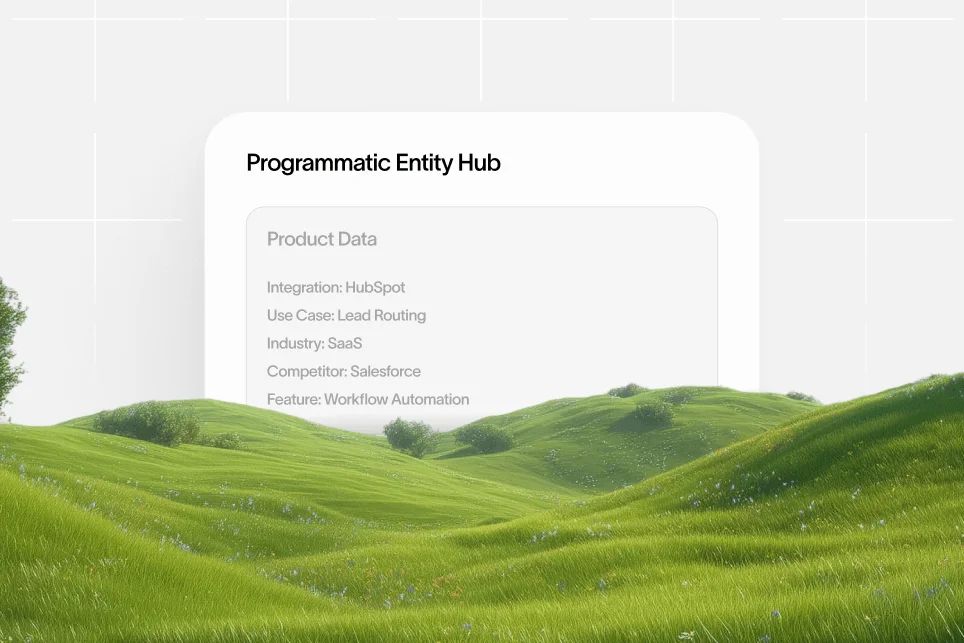
Programmatic use case pages are scalable landing pages built from structured data that match specific use cases, industries, and query variations better than one generic page ever can.
If you build them well, they do more than rank in Google. They give AI systems more precise, more quotable, more citable source material. In an AI-answer world, brand is your citation engine, and your page library is the infrastructure that feeds it.
Why broad solution pages stop working for long-tail AI search
A single “Use Cases” page feels efficient. It also tends to underperform.
Why? Because long-tail search is not one thing. A buyer looking for “CRM for private equity deal teams” is not asking the same question as someone searching “CRM for SaaS account handoffs” or “CRM for franchise sales reporting.” Those are different contexts, different objections, and different proof requirements.
AI search makes this even more obvious. Large language models tend to synthesize answers from sources that are specific, structured, and easy to map to a user question. If your site only has broad category pages, you may rank for head terms but still miss citations in AI results. We’ve covered that visibility gap before in our guide to citation gaps.
Here’s the practical problem:
- Broad pages blur intent.
- Blurry intent weakens rankings.
- Weak rankings reduce discoverability.
- Thin specificity makes AI citations less likely.
- Fewer citations mean fewer qualified clicks.
That’s the real funnel now: impression -> AI answer inclusion -> citation -> click -> conversion.
If you want more of those clicks, don’t start by writing more top-of-funnel blog posts. Start by mapping the exact use cases your market asks about.
The contrarian take most teams need to hear
Don’t build programmatic use case pages just to publish hundreds of URLs.
Build fewer page types, with better structure and stronger proof, then expand only when you know the template can support trust, differentiation, and conversion. A bloated library of near-duplicate pages is not a moat. It is an indexation problem wearing a growth costume.
According to BCMS, strong programmatic SEO examples like Nomad List and Zapier show that scalable publishing works when pages remain unique and useful rather than mass-produced filler. That distinction matters more in 2026 than it did a few years ago.
Start with the page inventory, not the template
Most teams jump straight to design. That’s backwards.
The hard part is not the page builder. The hard part is deciding what combinations deserve a page, what evidence each page needs, and where the content will break if the underlying data is weak.
I use a simple planning model here: query, audience, proof, conversion.
That four-part model is what keeps programmatic use case pages from becoming thin doorway content.
Query
What is the exact long-tail phrase or question this page should satisfy?
Examples:
- project management software for legal operations
- AI note taker for investor calls
- expense management for field sales teams
- onboarding software for multi-location healthcare groups
These are not just keywords. They’re compressed buying contexts.
Audience
Who is the page really for?
You need one clear reader per page, even if the product serves many personas. “Marketing teams” is too broad. “Demand gen leaders at B2B SaaS companies” is much more usable.
Proof
What makes the page believable?
This is where most libraries fail. They swap in an industry name and call it personalized. Buyers notice. AI systems also tend to favor pages with clearer source signals, explicit claims, and structured context. If you want a deeper explanation of how page construction affects citations, our source anchoring guide is useful background.
Your proof can include:
- relevant feature mapping
- industry-specific workflows
- example outcomes
- integration context
- compliance or process fit
- FAQs tied to objections
Conversion
What should the visitor do next?
Not every use case page should push a demo immediately. Some should route people to a related template, comparison, or case study. The conversion path should match the intent depth of the query.
The page inventory I’d build first
Before touching templates, make a spreadsheet with these columns:
- Primary query
- Industry
- Team or persona
- Job to be done
- Core pain point
- Required proof element
- Supporting internal links
- Primary CTA
- Secondary CTA
- Owner and refresh cadence
This is not glamorous work, but it is where scale becomes manageable.
As documented in Landingi’s explanation of programmatic landing pages, many scalable page systems rely on structured inputs such as CSV-based query definitions. You do not need to get technical about the build to understand the core lesson: structured data inputs determine whether your programmatic system creates useful pages or just a pile of URLs.
Build pages around use-case depth, not keyword volume
A lot of keyword-driven libraries fail because they optimize for search volume first.
That sounds rational. It usually leads to generic pages that look good in a spreadsheet and weak in the real world.
For AI search, depth beats breadth when the question is narrow. A page about “email marketing software” might attract more traditional volume, but a page about “email marketing software for credit union onboarding sequences” has far better odds of matching a specific question and earning a citation.
According to Seomatic’s programmatic SEO examples, dedicated pages for highly specific use cases such as “Instagram post templates” are what allow sites to capture narrow, conversational intent at scale. That same principle applies well beyond templates.
What a strong use case page usually includes
A good page does not need to be long. It needs to be complete.
For most SaaS teams, the winning structure looks like this:
- A precise headline tied to the use case
- A 2-3 sentence intro naming the audience and problem
- A short “why this matters” section
- Product fit explained in plain language
- A workflow or scenario section
- Specific objections answered
- CTA matched to intent
- Supporting FAQ
This is where design and conversion start to matter.
If every page looks like a spun SEO page, conversions will be weak even if traffic lands. Use case pages work best when they feel like decision support, not content filler. Keep the layout scannable. Put the use case summary near the top. Use bullets where the reader wants fast qualification. Add one meaningful proof element before the first CTA.
A mini case example you can copy
Here’s a realistic baseline -> intervention -> outcome plan for a team building programmatic use case pages.
Baseline: One general solutions page targeting a broad category, low conversion from long-tail non-brand traffic, and no clear visibility into which use-case queries trigger impressions.
Intervention: Build 30 use case pages across three industries, each with unique intros, workflow sections, industry pain points, internal links, and FAQ blocks. Track impressions, AI mention rate, click-through rate, and assisted conversions over 90 days.
Expected outcome: Better query-to-page matching, more long-tail impressions, improved click quality, and clearer evidence of which industries deserve further expansion.
That’s the right level of proof when you do not have public benchmark numbers. Set the baseline. Define the intervention. Measure the result over a fixed timeframe.
The pages I would not build yet
Don’t start with every possible combination.
Skip pages that have:
- no distinct pain point
- no conversion path
- no real product fit
- no supportable proof
- only cosmetic personalization
This is where teams burn months. They create 500 pages because the combinations exist, not because demand and differentiation exist.
The library structure that scales without becoming a mess
Once the inventory is clear, you need a content architecture that won’t collapse under its own weight.
This is where most teams either overbuild or under-govern.
Use three layers, not one giant page set
I recommend organizing the library into three practical layers:
- Core use case pages for the highest-confidence queries
- Industry variants where the workflow or stakes are meaningfully different
- Support pages such as comparisons, templates, glossaries, and FAQs that reinforce authority around the use case cluster
This matters for both SEO and AI visibility.
Why? Because a single page rarely carries the full citation burden on its own. AI systems look for corroborating context across your site. Supporting pages help establish that your company knows the topic, not just the keyword.
That’s also why internal linking matters. A use case page about reporting for agencies should naturally connect to related content on AI visibility, structured content systems, or adjacent workflow topics. If you’re building authority around AI discoverability, our blog categories show the kind of cluster logic that keeps topics connected instead of isolated.
Keep the template rigid where readers don’t care
You want consistency in:
- URL structure
- metadata rules
- CTA placement
- section order
- schema format
- analytics events
You want variation in:
- page intro
- pain points
- workflows
- examples
- objections
- FAQ wording
That balance is what keeps production scalable without making the pages feel mass-generated.
What to measure from day one
If you can’t measure the library, you won’t know whether to expand it.
Track at least these inputs:
- Indexed pages
- Impressions by page type
- Click-through rate by cluster
- Conversion rate by use case
- Assisted pipeline or demo influence
- AI answer inclusion or citation frequency
- Content freshness status
For teams trying to connect ranking work to AI answer presence, this is exactly where a platform like Skayle can fit naturally. It helps SaaS teams rank higher in search and appear in AI-generated answers by tying content production to visibility tracking instead of treating them as separate workflows.
The 7-step build checklist I’d use with a lean team
If you need a practical rollout plan, use this order:
- Pick one product line and one buyer segment.
- Map 20-30 high-confidence use cases with clear intent.
- Define the page template and required proof fields.
- Write 5 pages manually before scaling anything.
- Review overlap, duplication, and weak sections.
- Launch the first batch with analytics and internal links in place.
- Expand only after 60-90 days of data shows which variants deserve more coverage.
That manual-first step is not optional.
You need to feel where the template breaks. Usually it breaks in the same places: repetitive subheads, vague intros, thin FAQs, and CTAs that ignore actual intent.
Where most programmatic use case pages fail to convert
Ranking problems are obvious. Conversion problems hide longer.
A page can pull decent traffic and still fail because it does not help the buyer self-qualify.
Generic copy kills trust fast
The fastest way to weaken a use case page is to write copy that could fit any industry.
If I can replace “construction” with “healthcare” and the page still reads the same, the page is not specific enough. That hurts conversions and it weakens citation value because there is nothing memorable to quote.
Thin design signals create friction
You don’t need fancy design. You do need clarity.
A few simple rules go a long way:
- put the use case context above the fold
- use one clear primary CTA
- keep forms off the page unless intent is truly bottom-funnel
- show process fit before feature lists
- use jump links if the page is long
When buyers land from AI answers, they are often in validation mode. They want confirmation that the page really matches the scenario they asked about. Help them verify that quickly.
Treat every page like a small source document
This is the part many SEO teams still miss.
Your programmatic use case pages are not just ranking assets. They are source documents for LLM retrieval and citation. That means each page should contain:
- one clear definition or summary sentence
- one structured list that is easy to extract
- one point of view or differentiator
- one proof element or scenario
- one FAQ block using natural language
That structure increases the odds that an AI system can pull a useful answer from the page instead of skipping it for a clearer source.
A mistake I’ve seen firsthand
Teams often scale the page count before they scale evidence.
That creates a library full of pages that look finished but have no substance beyond the headline. It feels productive for a month. Then rankings stall, conversions disappoint, and the content team gets blamed for a structural problem.
Don’t do that. Add proof depth first, then add volume.
According to Gracker AI’s examples roundup, cross-industry programmatic models are useful for inspiration, but the point is not to mimic page count. The point is to identify repeatable patterns that still preserve relevance for each audience slice.
How to make the library easier for AI systems to cite
A lot of SEO advice still stops at rankings. That’s incomplete.
If you care about AI search, you need pages that are easy to parse, easy to trust, and easy to quote.
Use direct phrasing that answers the query early
Your first 100 words matter more than most teams think.
If the page is about “inventory software for restaurant chains,” say exactly what the page is about, who it helps, and why the workflow is different. Don’t warm up for three paragraphs.
Add structured reasoning, not vague claims
Weak sentence: “Our platform helps many businesses streamline work.”
Stronger sentence: “Restaurant chains need inventory software that supports multi-location purchasing, waste tracking, and location-level reporting without forcing each store into separate workflows.”
The second version is more useful to readers and more citable to AI systems.
Build citation triggers on purpose
I’d intentionally include four elements on every page:
- A concise use-case definition
- A list of audience-specific pain points
- A workflow example in plain English
- A short FAQ with objection-level questions
This is boring in the best possible way. It creates pages that machines can extract from and humans can actually use.
Why this is a brand play, not just a content play
In AI search, the content that gets cited often feels more trustworthy because it is more specific.
That’s why a programmatic use case library can become a brand asset, not just an SEO asset. It gives your company a footprint across many precise questions. Over time, that footprint becomes authority.
If your team is trying to measure whether that authority is actually showing up in AI answers, it helps to look beyond rankings alone and focus on citation coverage, mention quality, and source consistency.
Common mistakes that quietly wreck the whole library
Most failed libraries don’t fail because the idea was wrong. They fail because the operating discipline was weak.
Here are the mistakes I’d watch for first.
Publishing combinations with no editorial threshold
Just because a query can exist does not mean a page should exist.
Set a minimum threshold for uniqueness. If the page cannot support a distinct intro, distinct pain points, and distinct proof, it should not be published yet.
Letting templates hide thin content
A polished template can make a weak page look better than it is.
Review pages in plain text sometimes. If the page falls apart without styling, the content is probably too generic.
Ignoring refresh rules
Programmatic libraries decay faster than teams expect.
New industries emerge. Old phrasing drops out of demand. Product positioning changes. If pages are not reviewed on a fixed cadence, the library becomes stale and citation quality drops with it.
Failing to connect reporting to action
Many teams can tell you how many pages they launched. Fewer can tell you which page patterns drove qualified outcomes.
Tie reporting back to decisions:
- Which industries convert best?
- Which page sections correlate with higher engagement?
- Which FAQs trigger impressions?
- Which clusters earn citations but not clicks?
That last one matters a lot. A page can be useful enough for an AI answer yet weak enough to lose the click. That usually points to poor positioning or a weak conversion path.
Five questions teams ask before they scale this approach
How many programmatic use case pages should you launch first?
Start with a small, high-confidence batch. For most SaaS teams, 20 to 30 pages is enough to test whether your template, targeting, and proof structure are working before you expand.
Are programmatic use case pages bad for SEO?
No, not if the pages are genuinely differentiated and useful. They become a problem when teams publish near-duplicates with thin content and no clear reason for each page to exist.
What makes a use case page good for AI search?
Specificity, structure, and trust. A strong page answers a narrow question directly, includes extractable lists and definitions, and gives enough context that an AI system can cite it with confidence.
Should every industry and persona combination get its own page?
No. Only create a page when the combination changes the buyer’s pain points, workflow, objections, or conversion path in a meaningful way.
How do you know whether the library is working?
Measure it on three levels: visibility, citation, and conversion. Look at impressions and rankings, track whether your brand appears in AI answers, and monitor whether those pages influence demos, signups, or pipeline.
A good library should create compounding returns. More specific pages lead to better discoverability, which leads to more citations, which improves qualified traffic quality over time.
If your team wants a more connected way to build, monitor, and improve that kind of visibility, Skayle is built for exactly that problem. It helps SaaS teams plan and maintain ranking content while also understanding how they appear in AI-generated answers.
A programmatic use case library is not a publishing trick. It is a content infrastructure decision. Build it with specificity, proof, and measurement, and it can become one of the few scalable assets that improves both search rankings and AI citation coverage at the same time.
Measure your AI visibility, tighten the pages that deserve expansion, and treat every use case page like a source worth citing.